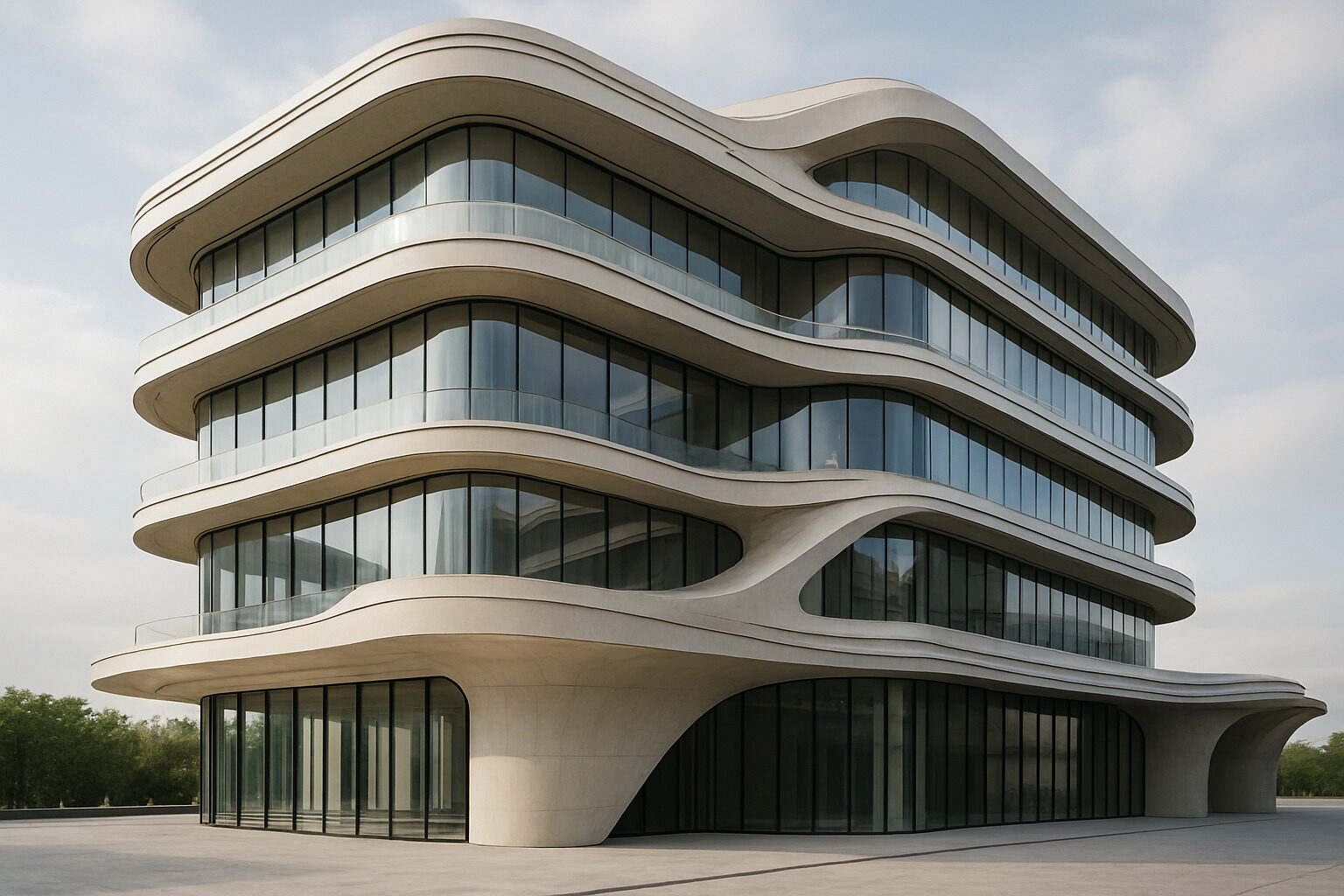
A building design generator is an AI tool that turns a written description, and sometimes a reference photo, into architectural imagery: exteriors, interiors, facades, and whole design concepts, produced in seconds rather than days. Instead of sketching, modeling, and rendering to see an idea, you describe it, and the generator shows you what it could look like. If you want to try one right now, our AI building design generator takes a prompt and returns architectural concept images in your browser, no design software required.
This guide explains what these generators actually do, what they are genuinely good and bad at, and, most importantly, how to write prompts that get you striking, usable results instead of generic renderings.
What a Building Design Generator Actually Does
Under the hood, modern generators are built on image-generation models of the same family as widely known systems like Midjourney, DALL-E, and Stable Diffusion, trained on vast collections of images paired with text. When you type a description, the model synthesizes a new image consistent with both your words and the visual patterns it learned about buildings: how roofs meet walls, how glass reflects sky, how a Mediterranean villa differs from a Brutalist tower. Architecture-focused tools layer on top of this with prompts, presets, and workflows tuned to buildings specifically, so you spend less time fighting the model and more time exploring designs.
What that means practically: a generator is a concept machine. It produces images, not blueprints. It will not calculate loads, check zoning, or draw a wall section. What it does brilliantly is compress the earliest, most exploratory phase of design, the phase of "what if it looked like this instead?", from weeks of sketching into an afternoon of iteration.
Design your own version
Describe the home you are imagining and our AI turns it into concept images in seconds. Your first design is free.
Generate a Design
Who Uses Them, and for What
- Homeowners and renovators visualize extensions, facades, and dream homes before ever paying for drawings, and walk into an architect's office with clear visual references instead of vague adjectives.
- Architects and designers use generators for rapid ideation, producing dozens of massing and mood directions to react against, and for client communication, where an evocative image settles debates that words prolong.
- Real estate and marketing teams create concept imagery for listings, proposals, and pitch decks.
- Students and enthusiasts use them as a visual sandbox for learning styles, testing compositions, and building a design vocabulary.
Generating From Scratch vs. Restyling What Exists
There are really two workflows, and knowing which one you need saves time:
| Workflow | Best when | Tool to use |
|---|
| Text-to-design generation | You are imagining something new: a house, a pavilion, a storefront that does not exist yet | AI building design generator |
| Photo restyling | You have a real room or home and want to see it in a different style before renovating | AI restyle tool |
| Style discovery | You do not yet know what you like and need a starting vocabulary | Style quiz |
Restyling deserves emphasis because it answers the question most people actually have. Few of us are commissioning new buildings; many of us are staring at a dated living room. Uploading a photo to the restyle tool and re-rendering it as Japandi, industrial, or modern farmhouse gives you a renovation preview grounded in your actual walls and windows, which is far more decision-useful than a generic inspiration board.
How to Write Prompts That Get Great Results
Prompting is a skill, and the gap between a bland output and a stunning one is usually the prompt. A reliable structure covers five things:
- Building type and scale. "A two-story family house," "a small lakeside sauna pavilion," "a mid-rise apartment building." Ambiguity here is the top cause of generic results.
- Style, era, or named influence. "Scandinavian minimalist," "Victorian with Gothic Revival details," "in the spirit of desert modernism." Style keywords are the strongest lever you have.
- Materials and colors. "Charred timber cladding, corten steel, floor-to-ceiling glass," "whitewashed stucco with terracotta roof tiles." Materials carry mood.
- Setting and light. "On a forested slope at golden hour," "dense urban corner lot, overcast," "courtyard garden, dappled midday light." Context grounds the design and dramatically improves realism.
- Camera and mood. "Street-level view," "aerial view," "warm and inviting," "monumental and austere."
Compare "a modern house" with "a single-story courtyard house in warm minimalist style, rammed-earth walls and pale timber, deep roof overhangs, desert garden with palo verde trees, late afternoon light, eye-level view." The second prompt does not just produce a nicer image; it produces your image.
Iteration tactics that work
- Change one variable at a time. Keep the prompt fixed and swap only the material, or only the style, so you learn what each lever does.
- Generate in batches, then converge. Make many rough variations, pick the strongest, and refine its prompt rather than polishing your first idea.
- Steal vocabulary. If you lack the words for what you like, run a photo of a building you admire through our AI architecture analyzer; the style and element terms in its analysis make excellent prompt ingredients.
- Name the era, not just the adjective. "1930s Art Deco cinema facade" outperforms "old fancy building" every time.
Common mistakes to avoid
Three habits reliably produce disappointing results. Overstuffed prompts that name five styles at once give the model contradictory instructions and yield mushy averages; pick one dominant direction per generation. Pure abstraction, "something beautiful and unique", hands all the decisions to the model, which will default to the most statistically ordinary building it knows. And stopping after one generation wastes the medium's core advantage: the tenth variation is nearly free, and it is usually better than the first.
Honest Limits to Keep in Mind
Used well, generators accelerate imagination; used naively, they mislead. AI images can be structurally implausible, cantilevers with no visible support, stairs to nowhere, glazing that ignores climate. They do not know your budget, your lot's setbacks, or your local code, and a generated design is not buildable documentation; you will still need an architect or designer to translate a concept into a real project. Outputs can also drift generic if prompts are vague, and details like signage text or brick coursing may not survive close inspection. Treat every image as a proposal for a feeling, not a promise of a building, and the tool will serve you well.
Getting Started in Five Minutes
The fastest way to understand a building design generator is to use one. Start at our AI architecture designer: describe a building you have daydreamed about, using the five-part prompt structure above, and generate your first concepts. If your project is a real space you already live in, photograph it and run it through restyle instead. Unsure what direction you even want? Take the style finder quiz first and bring its answer to your prompts. Ten minutes of iteration will teach you more about your own taste, and about what AI design tools can do, than any article, including this one.
Design your own version
Describe the home you are imagining and our AI turns it into concept images in seconds. Your first design is free.
Generate a Design